






MedDRA & SMQ Browser
on Your Phone
A full MedDRA and SMQ reference in your pocket—free for active MSSO license holders, available on Android and iOS.
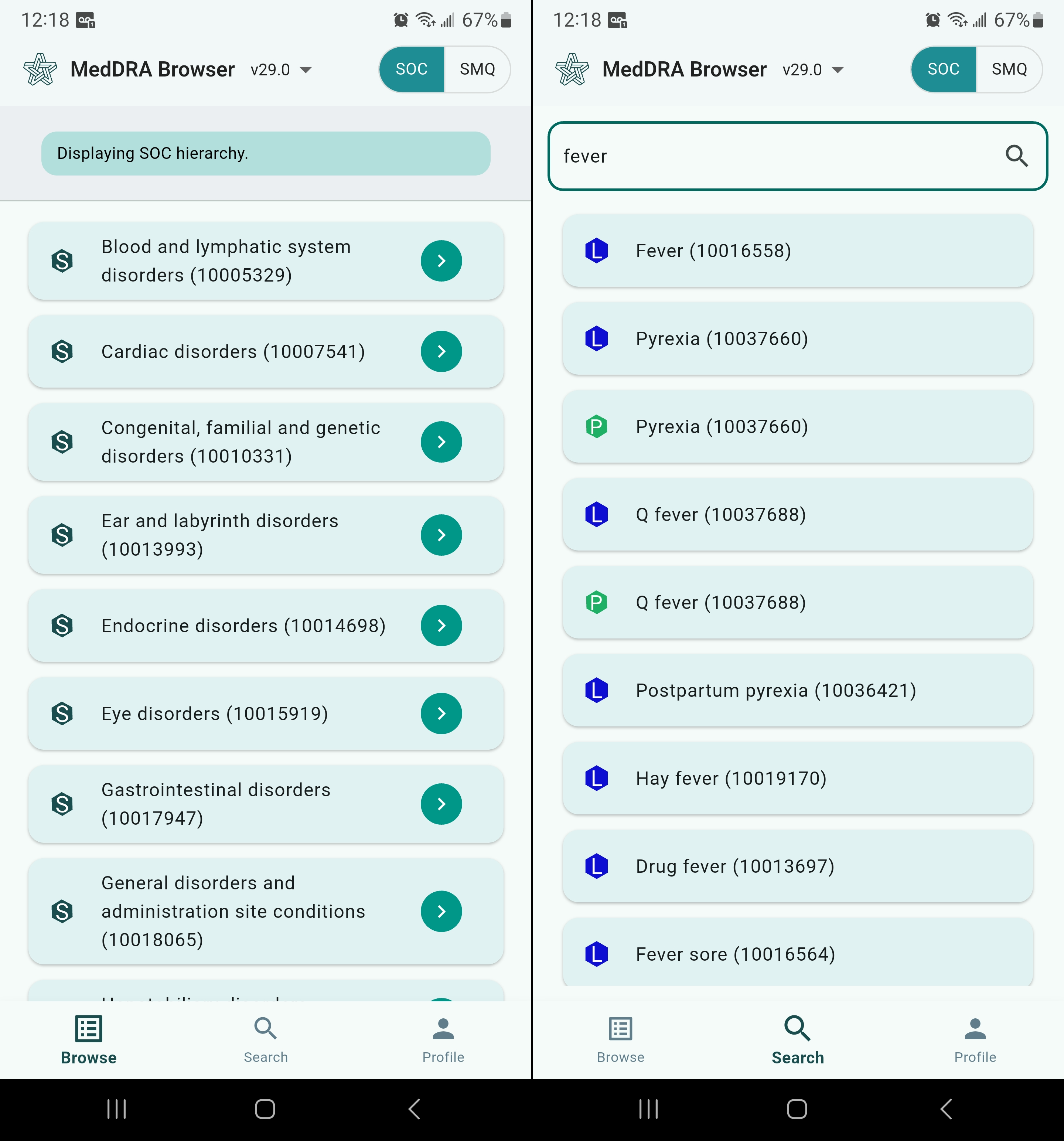
- Browse the full MedDRA hierarchy: SOC → HLGT → HLT → PT → LLT
- Search terms instantly by text or MedDRA code
- Explore Standardised MedDRA Queries (SMQs) with full details
- View SMQ notes, descriptions, source, and member terms
Everything You Need, Wherever You Are
Designed for coders, safety reviewers, and clinical data managers who need a reliable MedDRA and SMQ reference on the go.
Fast Term Search
Search MedDRA terms by PT text, LLT text, or code number with instant results.
Hierarchy Navigation
Traverse the full MedDRA hierarchy—SOC → HLGT → HLT → PT → LLT—with a single tap.
Term Relationships
View all related terms across hierarchy levels and identify primary and secondary SOC paths.
Code Lookup
Look up any MedDRA code and immediately see where it sits in the classification structure.
Version Support
Access the latest and previous versions of MedDRA going back to 26.0.
SMQ Browser
Browse, search, and explore Standardised MedDRA Queries—including full details, source, notes, and member terms.
Full SMQ Support
Standardised MedDRA Queries (SMQs) are validated groupings of MedDRA terms used to retrieve potential cases of a medical condition of interest from safety databases. The app puts the entire SMQ library at your fingertips.
Browse & Search SMQs
- Browse the complete list of available SMQs
- Search by SMQ name or code
- Differentiate terms by level (Broad / Narrow)
- Navigate parent and child SMQ relationships
Rich SMQ Detail View
- Description — purpose and intended use of the query
- Notes — guidance on scope, exclusions, and application
- Source — origin and authoring information
- Member terms — all PTs/LLTs included, with Broad/Narrow status
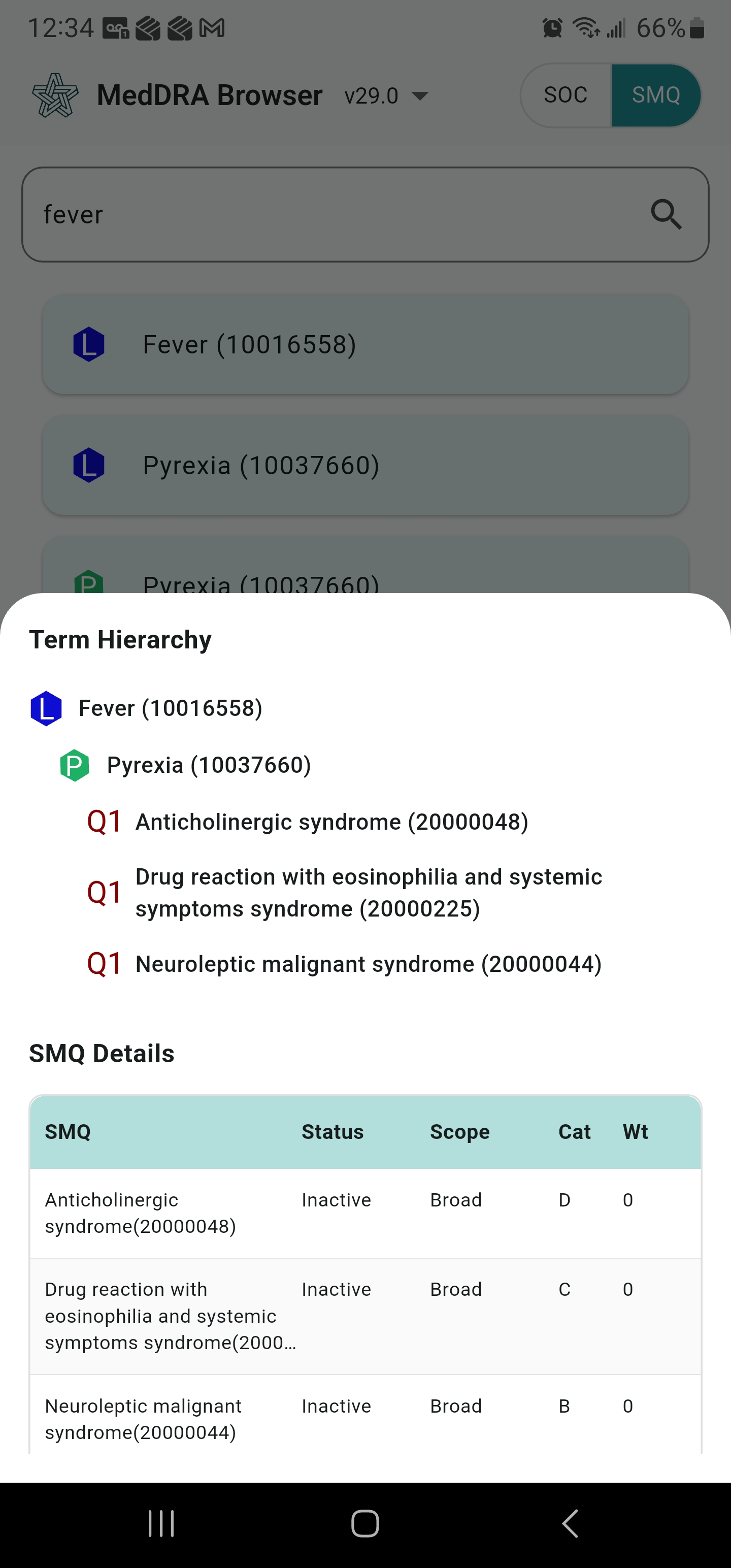
Tap any member term within an SMQ to jump directly to its hierarchy and see which SMQs it belongs to along with Status, Scope, Category and Weight.
License & Requirements
The app is provided free of charge. Access to MedDRA and SMQ content requires a valid MSSO subscription—the same license that grants access to the dictionary.
Who Can Use It
- Any individual or organisation holding an active MSSO (Maintenance and Support Services Organization) license
- No separate Clinpex subscription required
- One MSSO license covers both iOS and Android
System Requirements
- Android 8.0 (Oreo) or later
- iOS 14.0 or later
- Internet connection required. Data charges may apply.
Download the App
Scan the QR code with your phone or tap the store badge to install.
A free Clinpex account is required to access content
Account creation is free. Before activation, Clinpex validates your active MSSO license—no separate subscription needed.
Android
Create your account directly inside the app on first launch.
iOS
Create your account before installing — Apple does not allow in-app account creation.
Create account at mdv.clinpex.com →